
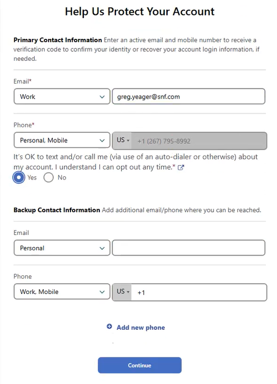
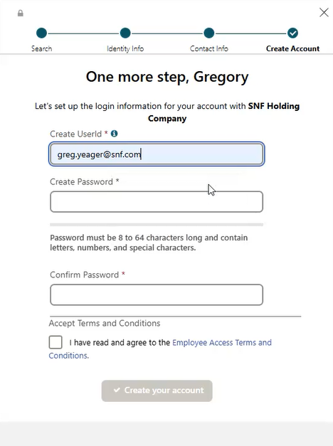
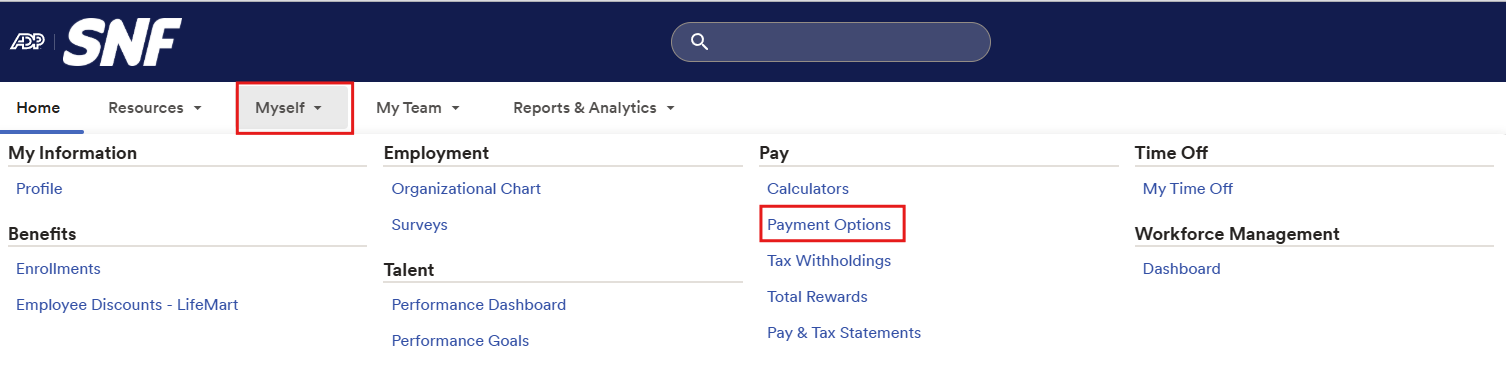
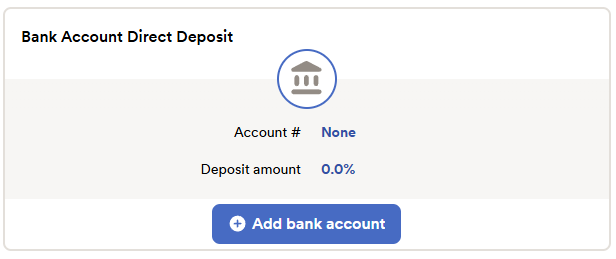
ONBOARDING STEPS
BENEFITS SNAPSHOT
Eligibility: Employees must be residents of Canada, permanent employees working in Canada at least 20 hours per week, and must complete the 30-day waiting period.
Summary of Benefits
Sun Life Benefits
Administered by Sun Life. Includes prescription drugs, hospital and healthcare supplies and services, emergency services, paramedical services, and vision care. Eligible after 30 days of employment.
Healthcare Benefits
Includes prescription drugs, hospital and healthcare supplies and services, paramedical services, and vision care.
Dental
Includes basic, preventive, orthodontic procedures, and major services.
Life & Accidental Death & Dismemberment Insurance
Employee Life: 2 times your annual basic earnings rounded to the next higher $1,000. Maximum – $300,000. Minimum – $20,000.
Accidental Death and Dismemberment: Equal to Employee Life coverage.
Dependent Life Insurance
This benefit provides dependent life insurance coverage of $5,000 for your spouse and $2,500 per child.
Short-Term Disability
Benefit equals 66.67% of your weekly earnings, up to a maximum of $1,750 per week. Premium is paid by the employer. Benefit payments are taxable income.
Long-Term Disability
66.67% of your monthly basic earnings up to a maximum of $10,000. For coverage in excess of the amount indicated under proof of good health, your coverage is subject to approval by Sun Life.
Prescription Medication / Pharmacist Access
Register for online access to medication management, Pharmacist Support, and Prescription Delivery.
RRSP Contribution
RRSP is due to employees with one year of full service by 1 January. You will receive a letter, the deposit form, and the authorization form via email. RRSP deposits are directly deposited into employee accounts by the last day of February by the Accounting Department. Employees receive 5% of their earnings if they have room for the deposit. If terminated in the current year, no deposit is made. The maximum amount to be deposited changes every year.
Vacation Time
Vacation eligibility is based on full calendar years of service from your hire date after one year of service:
- Less than 5 full calendar years – 80 hours per year
- After 5 full calendar years – 120 hours per year
- After 10 full calendar years – 160 hours per year
| Hours Per Year | Weekly (Non-Exempt) | Semi-Monthly (Exempt) |
|---|---|---|
| 80 | 1.60 | 3.33 |
| 120 | 2.40 | 5.00 |
| 160 | 3.20 | 6.67 |
Statutory Holidays
The following 11 statutory holidays will be observed each year:
- New Year’s Day – January 1
- Alberta Family Day – 3rd Monday of February
- Good Friday – Varies
- Victoria Day – Monday immediately preceding May 25
- Canada Day – July 1
- Heritage Day – First Monday of August
- Labour Day – First Monday of September
- Canadian Thanksgiving – Second Monday of October
- Remembrance Day – November 11
- Christmas Day – December 25
- Boxing Day – December 26
Annual Payroll Schedule
Salary Employees: Salary employees are paid on a semi-monthly basis.
Hourly Employees: Hourly employees are paid on a weekly basis.
HELPFUL RESOURCES
Technology
Department: IT Department
Navan: Travel / Expense Platform
Contact: Theresa Clausen – tclausen@snf.com
NAVAN
This should prompt you to log in via Single Sign-On (SSO). Use your SNF email and password.
Totara: Training Platform
Contact: Garith Duncan – gduncan@snf.com
TOTARA Learning Management System
This should prompt you to log in via Single Sign-On (SSO). Use your SNF email and password.
SNF Connect: Employee Communication & Engagement Platform
Contact: Shane Young – syoung@snf.com
SNF Connect
This should prompt you to log in via Single Sign-On (SSO). Use your SNF email and password.
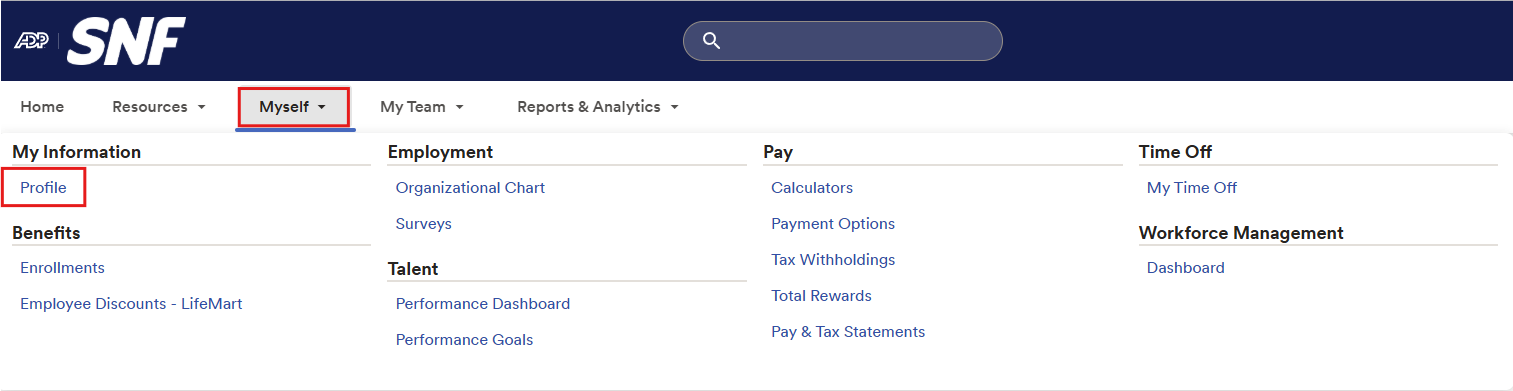
Time Off Request Access in ADP
Use ADP to review time off balances and request time off once policies are active.
- Within ADP, go to Myself in the navigation menu and select My Time Off.
- Review balances and request options once policies are active.
Still Need Help?
Payroll forms: payrolldept@snf.com
Benefits enrollment: JulieC@snf.com
ADP registration help: Tnguyen@snf.com
Sun Life support: 1-800-361-6212